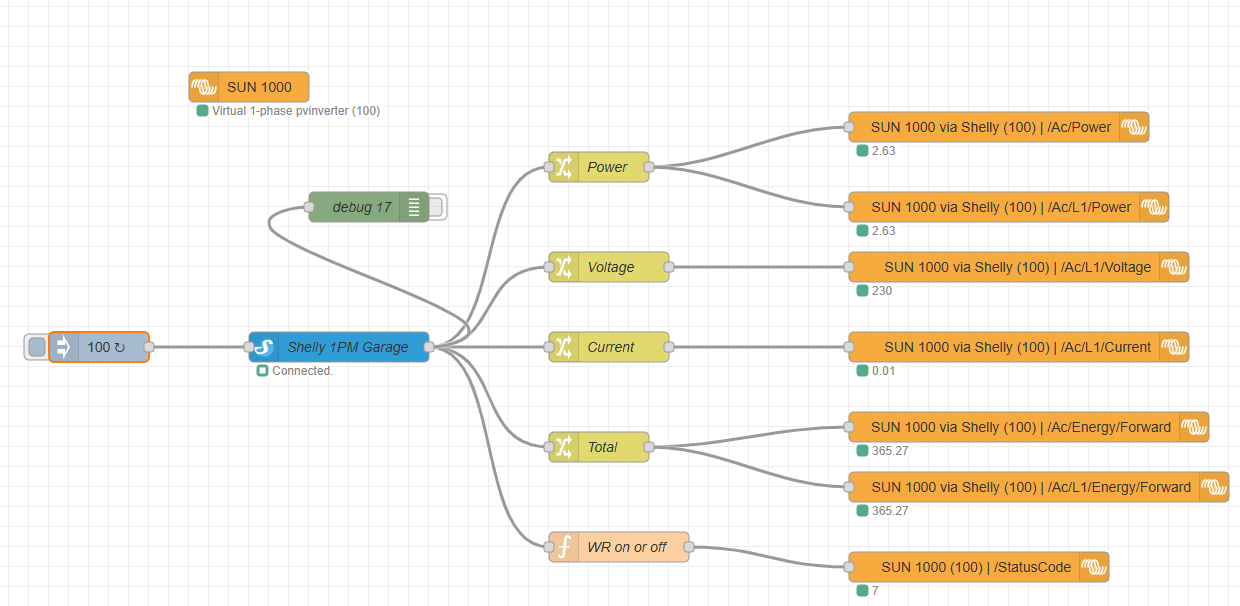
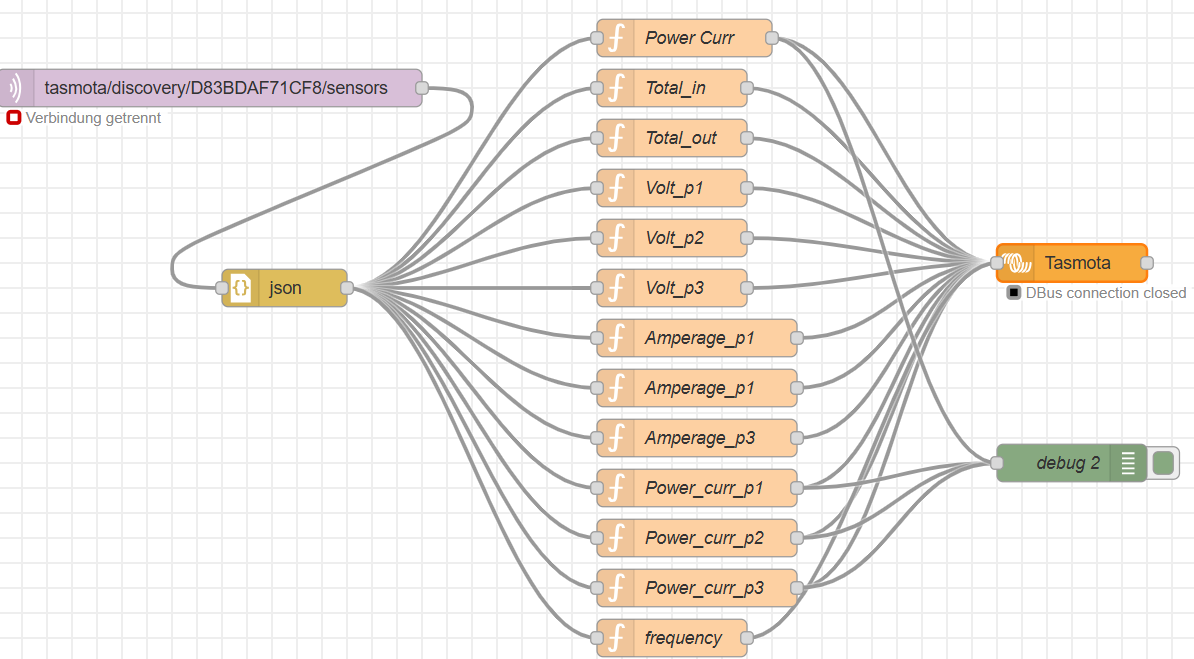
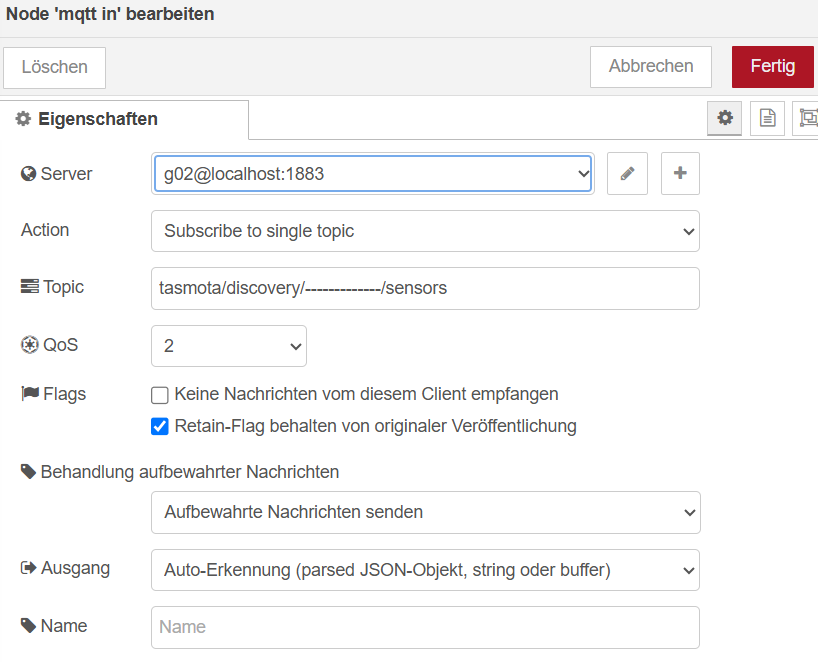
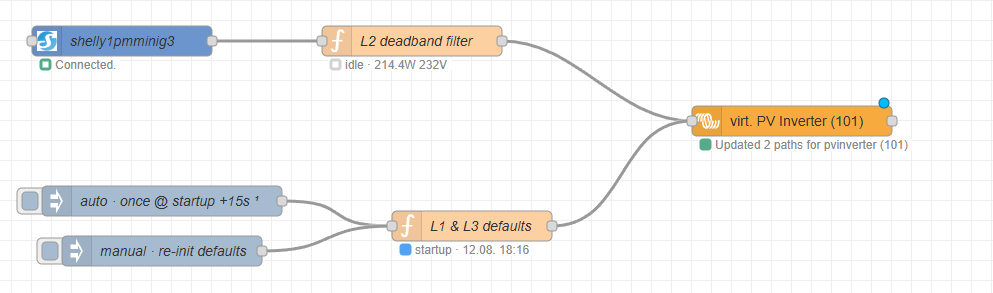
inspiriert vom Video von Schatten-PV (Victron ESS - Jeden Wechselrichter per Virtual Device über NodeRed in Venus OS einbinden! habe ich die Einbindung des Microwechselrichters umgestellt auf virtual Devices
Dazu muss nur die Palette victronenergy/node-red-contrib-victron heruntergeladen werden. Wie, wird im Video erklärt.
Falls jemand also ebenfalls seinen Microwechselrichter auf diese Art in sein VenusOS integrieren will findet er nachstehend den Flow.
Ändert dann noch den Hostnamen auf die IP-Adresse des Shelly und beim virtual Device den Namen
Node-Red Flow
[
{
"id": "081ffd4f7abcba01",
"type": "tab",
"label": "SUN als WR",
"disabled": false,
"info": "",
"env":
},
{
"id": "220bfe5db6671af3",
"type": "victron-virtual",
"z": "081ffd4f7abcba01",
"name": "SUN 1000",
"device": "pvinverter",
"default_values": false,
"battery_capacity": 25,
"include_battery_temperature": false,
"grid_nrofphases": 1,
"include_motor_temp": false,
"include_controller_temp": false,
"include_coolant_temp": false,
"include_motor_rpm": true,
"include_motor_direction": true,
"position": 0,
"pvinverter_nrofphases": 1,
"fluid_type": 0,
"include_tank_battery": false,
"include_tank_temperature": false,
"tank_battery_voltage": 3.3,
"tank_capacity": 0.2,
"temperature_type": 2,
"include_humidity": false,
"include_pressure": false,
"include_temp_battery": false,
"temp_battery_voltage": 3.3,
"x": 280,
"y": 120,
"wires":
},
{
"id": "6a51cc31b755e78a",
"type": "victron-output-custom",
"z": "081ffd4f7abcba01",
"service": "com.victronenergy.pvinverter/100",
"path": "/Ac/Power",
"serviceObj": {
"service": "com.victronenergy.pvinverter/100",
"name": "SUN 1000 via Shelly (100)"
},
"pathObj": {
"path": "/Ac/Power",
"name": "/Ac/Power",
"type": "object",
"value": null
},
"name": "",
"onlyChanges": false,
"x": 1030,
"y": 160,
"wires":
},
{
"id": "aae41889abb7cf37",
"type": "inject",
"z": "081ffd4f7abcba01",
"name": "",
"props": [
{
"p": "payload"
},
{
"p": "topic",
"vt": "str"
}
],
"repeat": "2",
"crontab": "",
"once": true,
"onceDelay": 0.1,
"topic": "",
"payload": "100",
"payloadType": "num",
"x": 130,
"y": 380,
"wires": [
[
"392102021be1267c"
]
]
},
{
"id": "392102021be1267c",
"type": "shelly-gen1",
"z": "081ffd4f7abcba01",
"hostname": "192.168.68.100",
"description": "Shelly 1PM Garage",
"mode": "polling",
"verbose": false,
"server": "",
"outputmode": "event",
"uploadretryinterval": 5000,
"pollinginterval": 5000,
"pollstatus": false,
"getstatusoncommand": true,
"devicetype": "SHSW-PM",
"devicetypemustmatchexactly": true,
"outputs": 1,
"x": 370,
"y": 380,
"wires": [
[
"7ac31c67a74b62bb",
"89b5df38d95712f8",
"5ad24980ad920896",
"79aec1f573b9cfab",
"5e01a201f93af5c3",
"3107d3f57cf74771"
]
]
},
{
"id": "7ac31c67a74b62bb",
"type": "change",
"z": "081ffd4f7abcba01",
"name": "Power",
"rules": [
{
"t": "set",
"p": "payload",
"pt": "msg",
"to": "payload.meters[0].power",
"tot": "msg"
}
],
"action": "",
"property": "",
"from": "",
"to": "",
"reg": false,
"x": 630,
"y": 200,
"wires": [
[
"6a51cc31b755e78a",
"61c9686a042a4811"
]
]
},
{
"id": "61c9686a042a4811",
"type": "victron-output-custom",
"z": "081ffd4f7abcba01",
"service": "com.victronenergy.pvinverter/100",
"path": "/Ac/L1/Power",
"serviceObj": {
"service": "com.victronenergy.pvinverter/100",
"name": "SUN 1000 via Shelly (100)"
},
"pathObj": {
"path": "/Ac/L1/Power",
"name": "/Ac/L1/Power",
"type": "number",
"value": 0
},
"name": "",
"onlyChanges": false,
"x": 1040,
"y": 240,
"wires":
},
{
"id": "a80edd66b25dfc2f",
"type": "victron-output-custom",
"z": "081ffd4f7abcba01",
"service": "com.victronenergy.pvinverter/100",
"path": "/Ac/L1/Voltage",
"serviceObj": {
"service": "com.victronenergy.pvinverter/100",
"name": "SUN 1000 via Shelly (100)"
},
"pathObj": {
"path": "/Ac/L1/Voltage",
"name": "/Ac/L1/Voltage",
"type": "number",
"value": 0
},
"name": "",
"onlyChanges": false,
"x": 1050,
"y": 300,
"wires":
},
{
"id": "89b5df38d95712f8",
"type": "change",
"z": "081ffd4f7abcba01",
"name": "Voltage",
"rules": [
{
"t": "set",
"p": "payload",
"pt": "msg",
"to": "230",
"tot": "num"
}
],
"action": "",
"property": "",
"from": "",
"to": "",
"reg": false,
"x": 640,
"y": 300,
"wires": [
[
"a80edd66b25dfc2f"
]
]
},
{
"id": "5ad24980ad920896",
"type": "change",
"z": "081ffd4f7abcba01",
"name": "Current",
"rules": [
{
"t": "set",
"p": "payload",
"pt": "msg",
"to": "$round(payload.meters[0].power /230, 2)",
"tot": "jsonata"
}
],
"action": "",
"property": "",
"from": "",
"to": "",
"reg": false,
"x": 640,
"y": 380,
"wires": [
[
"35c7aeaf8d881459"
]
]
},
{
"id": "35c7aeaf8d881459",
"type": "victron-output-custom",
"z": "081ffd4f7abcba01",
"service": "com.victronenergy.pvinverter/100",
"path": "/Ac/L1/Current",
"serviceObj": {
"service": "com.victronenergy.pvinverter/100",
"name": "SUN 1000 via Shelly (100)"
},
"pathObj": {
"path": "/Ac/L1/Current",
"name": "/Ac/L1/Current",
"type": "number",
"value": 0
},
"name": "",
"onlyChanges": false,
"x": 1050,
"y": 380,
"wires":
},
{
"id": "79aec1f573b9cfab",
"type": "change",
"z": "081ffd4f7abcba01",
"name": "Total",
"rules": [
{
"t": "set",
"p": "payload",
"pt": "msg",
"to": "$round(payload.meters[0].total/1000/60, 2)",
"tot": "jsonata"
}
],
"action": "",
"property": "",
"from": "",
"to": "",
"reg": false,
"x": 630,
"y": 480,
"wires": [
[
"1733336d15a6f093",
"3eabf6c9655deea2"
]
]
},
{
"id": "1733336d15a6f093",
"type": "victron-output-custom",
"z": "081ffd4f7abcba01",
"service": "com.victronenergy.pvinverter/100",
"path": "/Ac/Energy/Forward",
"serviceObj": {
"service": "com.victronenergy.pvinverter/100",
"name": "SUN 1000 via Shelly (100)"
},
"pathObj": {
"path": "/Ac/Energy/Forward",
"name": "/Ac/Energy/Forward",
"type": "object",
"value": null
},
"name": "",
"onlyChanges": false,
"x": 1060,
"y": 460,
"wires":
},
{
"id": "3eabf6c9655deea2",
"type": "victron-output-custom",
"z": "081ffd4f7abcba01",
"service": "com.victronenergy.pvinverter/100",
"path": "/Ac/L1/Energy/Forward",
"serviceObj": {
"service": "com.victronenergy.pvinverter/100",
"name": "SUN 1000 via Shelly (100)"
},
"pathObj": {
"path": "/Ac/L1/Energy/Forward",
"name": "/Ac/L1/Energy/Forward",
"type": "number",
"value": 0
},
"name": "",
"onlyChanges": false,
"x": 1070,
"y": 520,
"wires":
},
{
"id": "7702c569fc8748cc",
"type": "victron-output-custom",
"z": "081ffd4f7abcba01",
"service": "com.victronenergy.pvinverter/100",
"path": "/StatusCode",
"serviceObj": {
"service": "com.victronenergy.pvinverter/100",
"name": "SUN 1000 (100)"
},
"pathObj": {
"path": "/StatusCode",
"name": "/StatusCode",
"type": "object",
"value": null
},
"name": "",
"onlyChanges": false,
"x": 1010,
"y": 600,
"wires":
},
{
"id": "5e01a201f93af5c3",
"type": "function",
"z": "081ffd4f7abcba01",
"name": "WR on or off",
"func": "\nif (msg.payload.relays[0].ison == true) {\n msg.payload = 1;\n} else {\n msg.payload = 0;\n}\nreturn msg;",
"outputs": 1,
"timeout": 0,
"noerr": 0,
"initialize": "",
"finalize": "",
"libs": ,
"x": 650,
"y": 580,
"wires": [
[
"7702c569fc8748cc"
]
]
},
{
"id": "3107d3f57cf74771",
"type": "debug",
"z": "081ffd4f7abcba01",
"name": "debug 17",
"active": false,
"tosidebar": true,
"console": false,
"tostatus": false,
"complete": "false",
"statusVal": "",
"statusType": "auto",
"x": 400,
"y": 240,
"wires":
}
]
Viel Spaß beim implementieren